Import
Your workout is already written.
Paste it, snap it or upload it. Kronos turns it into a session you can check, change and run.
Bring it in
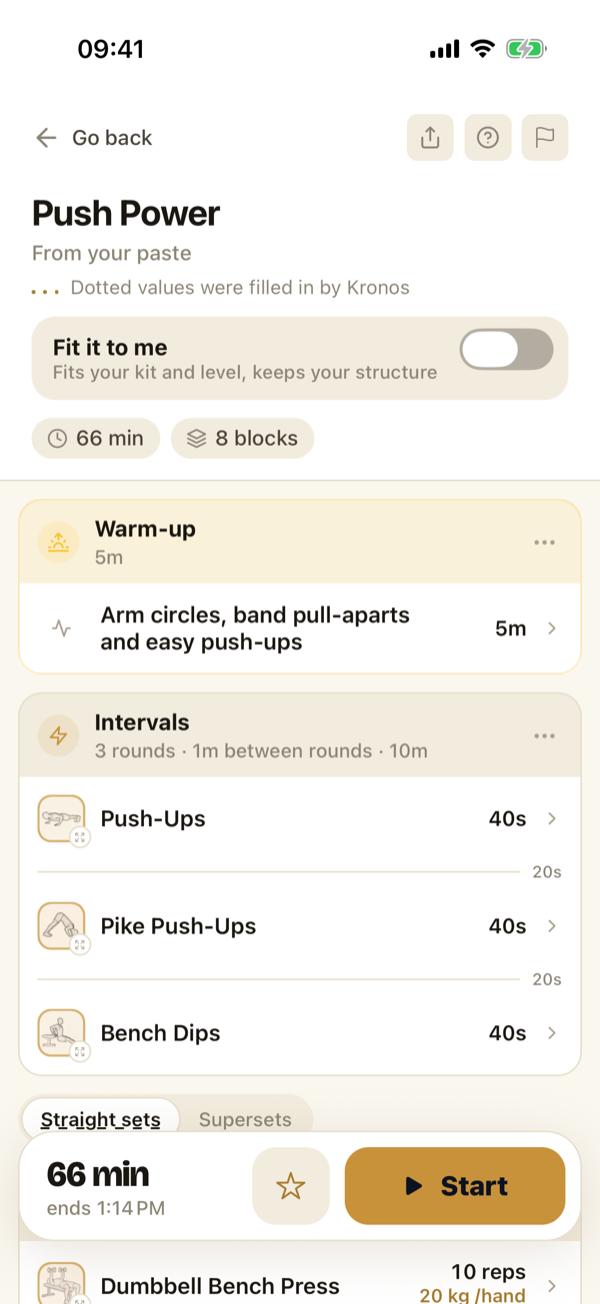
Text, a photo or a PDF.
Paste a workout from your AI, a doc or your notes, or take a photo of it. A whole plan can come as several photos or one PDF.
Using an AI? Copy the Kronos format and ask it to write your workout that way.
Check it
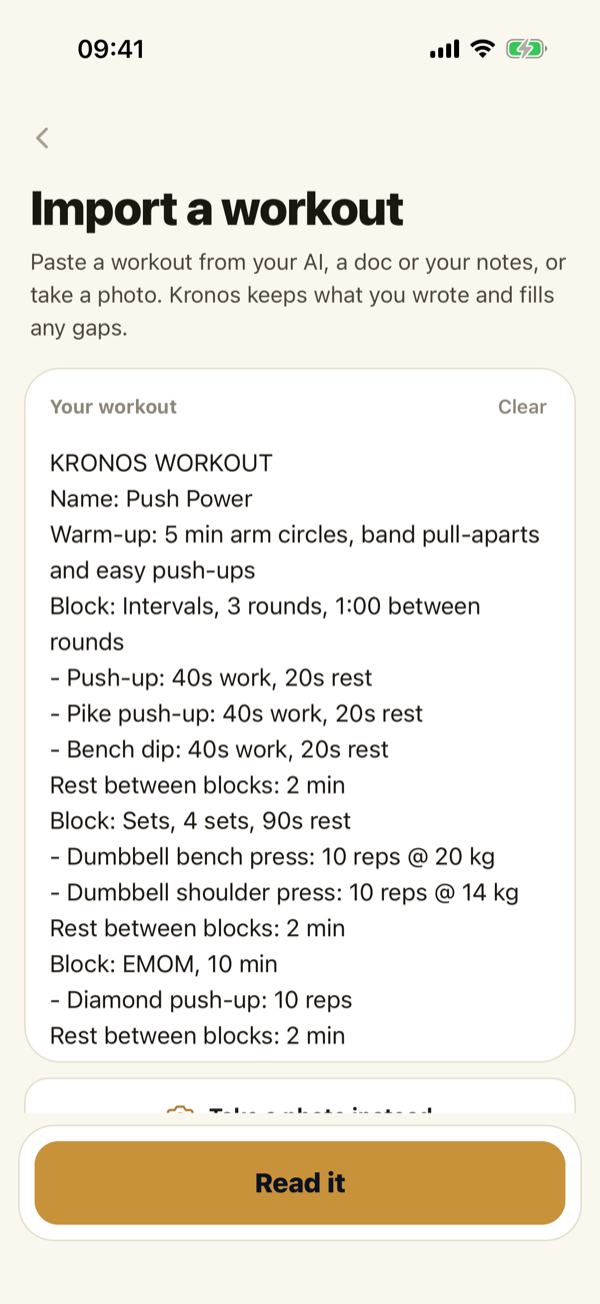
See what Kronos read.
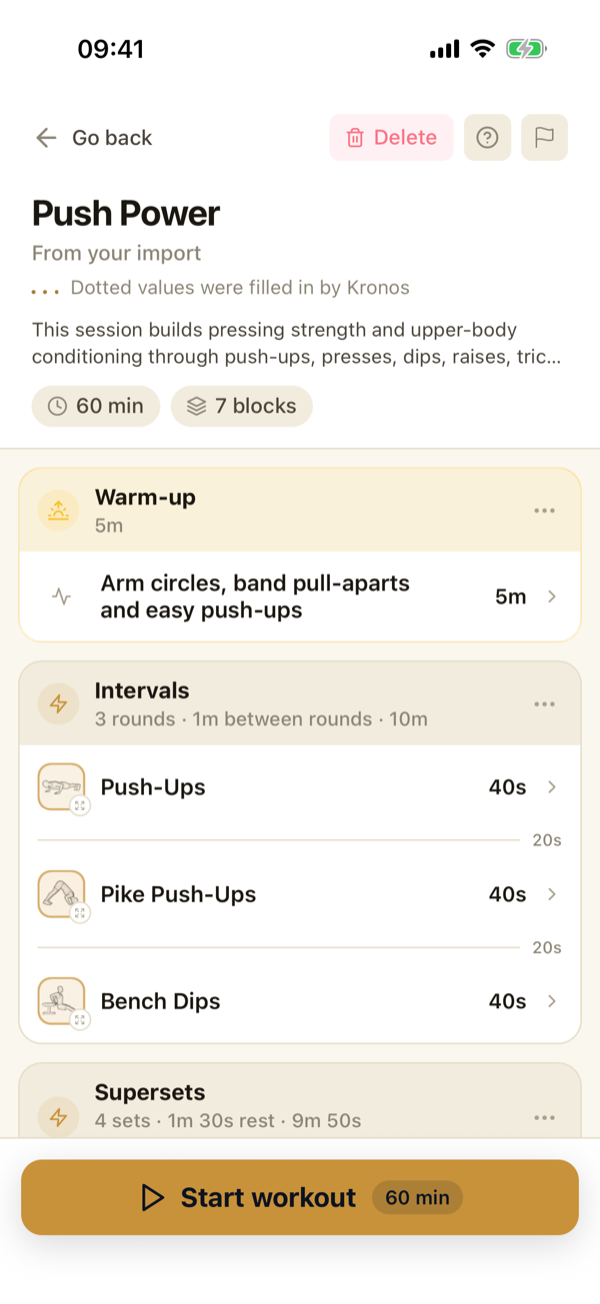
Every block, set and rest, as a real Kronos session. What you wrote stays. Anything Kronos filled in is dotted, and anything it couldn’t read is asked before you start.
Anything your kit rules out is flagged, never swapped behind your back.
Make it yours
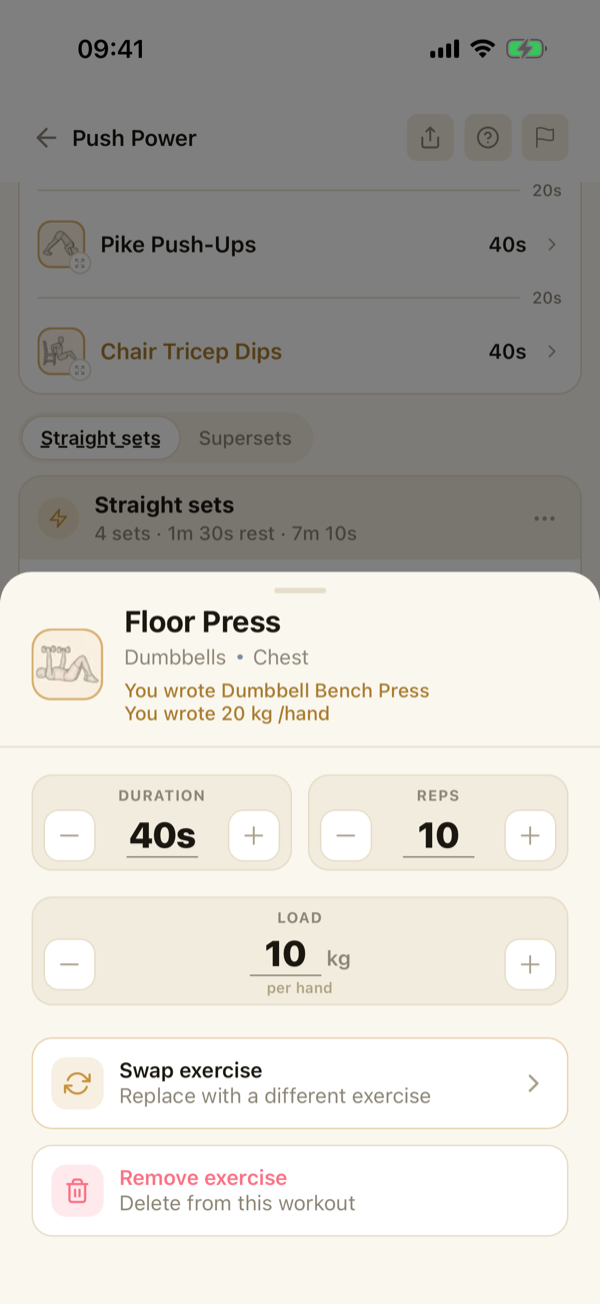
Swap it, edit it, fit it.
Change any move, set or load. Turn on Fit it to me and Kronos adapts the moves to your kit and level and keeps your structure.
Leave it off and the workout runs as written.
Run it
Then press start.
It runs in the player like any Kronos workout: the clock, the voice cues, your sets logged. Save it and it’s one tap next time.
Importing and checking are free, and your first workout is free. After that, running what you import is Kronos Pro.
One workout, or a whole plan.
Paste something with several sessions and Kronos asks: a plan, or just this workout? A plan goes into Plan, where it runs week by week, as written.
Fair questions.
Where can I import from?
Text you paste from an AI chat, a doc, a spreadsheet or your notes, or a photo. A whole plan can also come as several photos or one PDF.
Does it read every workout?
Not every one. It shows you what it understood, and before you start it asks about anything that would change how the workout runs, like kilos or pounds, or what a percentage is of.
Does Kronos connect to my AI?
Yes. Kronos is in the ChatGPT and Claude directories, so either can send workouts and plans to it. You can still paste instead, with nothing linked.
Is importing free?
Importing and checking are free, and your first workout runs free. After that, running what you import is Kronos Pro, even after you edit it or save it as a timer. A timer you set up yourself always runs free.
Can I bring my training history from another app?
No. Import reads workouts and plans to do, not the log of what you did somewhere else.
iOS & Android
Bring it in. Kronos runs it.
Paste it, snap it or upload it.
Free to start. Your first workout is free. No card.
